MT4, MT5, cTrader or TradingView: choose the supported workflow
A practical platform selection checklist that distinguishes charts, execution access and account-specific availability.
This article includes partner links. FINEX may earn a commission.
Start with your task, not the platform's popularity
Write down the actions you need to perform: inspect a chart, place and close orders, monitor margin, review history or run an existing automated workflow. Then identify the device and account that must support them. A platform can be familiar while still being unavailable for the account variant offered in your country. Treat the platform name as the start of a check, not proof that every feature, symbol and order workflow will be available. Keep your essential requirements short enough to test directly rather than relying on an extensive feature list.
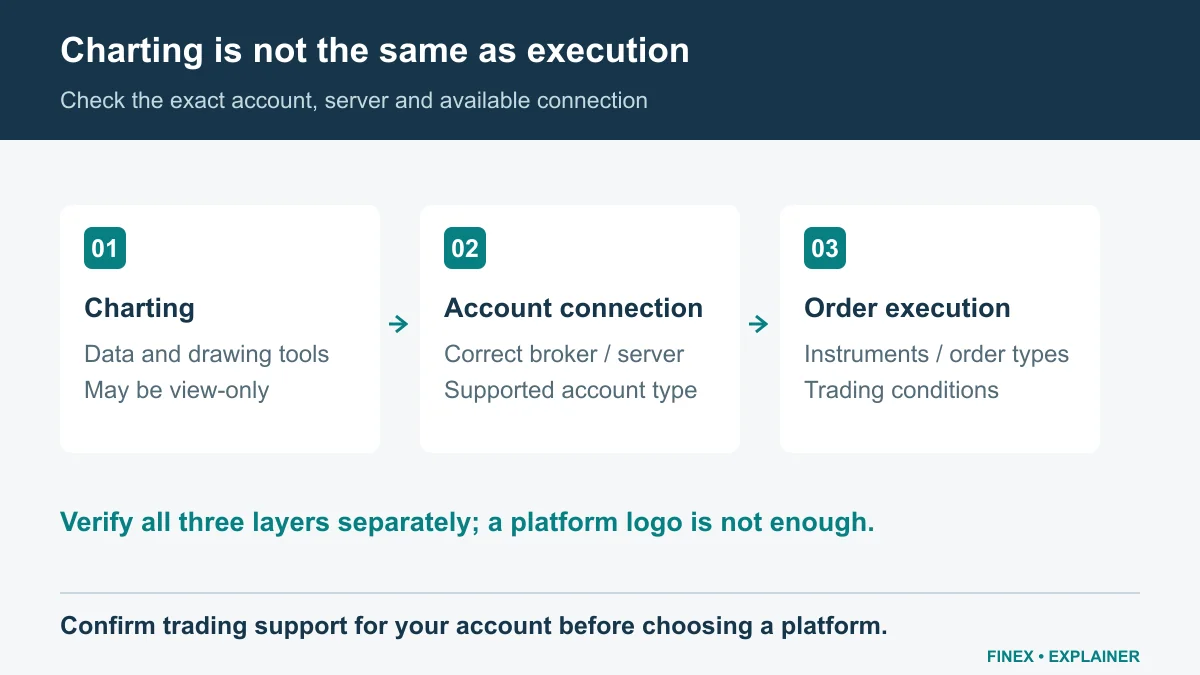
Diagram explained
Confirm trading support for your account before choosing a platform.
- A chart can display market data without being connected to a trading account. TradingView charts on a website are not proof of direct TradingView execution.
- Check the exact broker server and supported account type for MT4, MT5, cTrader, Match-Trader or TradeLocker.
- Then test order types, symbol specifications and device support. A successful demo connection does not verify real-account execution or withdrawals.
Separate chart access from execution access
A broker mentioning TradingView does not automatically establish that your account can execute trades through it. Look for the provider's actual connection instructions and the required account type. IC's current Seychelles account overview explicitly groups cTrader and TradingView with a particular pricing structure. That is more useful evidence than a logo shown on a general homepage, but you still need to confirm your own eligibility. Likewise, a broker's proprietary terminal is not the same product as an external platform simply because both show similar charts. Verify which system actually receives the order.
Want to explore the account options?
Test the full routine on your devices
Use an appropriate demo or practice environment to rehearse sign-in, symbol selection, order review, position closing and statement retrieval. Repeat the essential steps on your phone if that is your backup device. Check whether important values remain readable and whether you can distinguish balance, equity and available margin. If you depend on a script, indicator or robot, confirm its exact compatibility rather than assuming a file moves between platforms unchanged. A successful practice session establishes familiarity with that setup; it does not validate live execution quality or a provider's withdrawal performance.
Link the platform back to the account terms
Before choosing, compare commission units, available instruments and account currency for the exact platform. Keep a dated screenshot or official instruction link explaining how the account connects. Ask what happens if you later need another platform: a separate account, transfer or new agreement may be involved, and you should not assume the answer. Make a backup plan for losing access to your normal device, including a verified support route. The right choice is a supported workflow you can operate confidently. Familiarity and clear evidence are more useful than selecting whichever platform appears most frequently in advertisements.
Match the account to your trading platform
Check the supported platform, account type and devices before getting started.
Sources and scope
Sources are provider publications. Conditions may vary by entity, country, account and program. Recheck before signing up.