Choosing a Pepperstone platform in Vietnam: TradingView, sessions and fees
Compare Razor eligibility, your existing tools and local session-time displays before choosing a Pepperstone platform.
This article includes partner links. FINEX may earn a commission.
TradingView requires a Razor account check
If you want to connect TradingView to Pepperstone, the current international account table lists TradingView under Razor, and Pepperstone’s Vietnamese help centre provides connection instructions. This helps avoid selecting the wrong account for TradingView order entry. Confirm the option shown in your own application before registering. Pepperstone also advertises a free TradingView subscription, subject to eligibility criteria; review the terms before treating it as a benefit of your account.
Sources for this section
Official Pepperstone account terms Pepperstone Vietnam help: connect TradingView Official Pepperstone platform comparison
On Razor, Pepperstone uses raw spreads plus commission for FX and spot-gold XAU/USD CFDs; other markets follow Standard pricing. Standard includes most charges in the spread, apart from overnight funding and commission on share CFDs. The commission schedule depends on platform and account currency, so compare the same instrument, size, account type and both sides of a trade.
Sources for this section
Official Pepperstone account terms Official Pepperstone fees
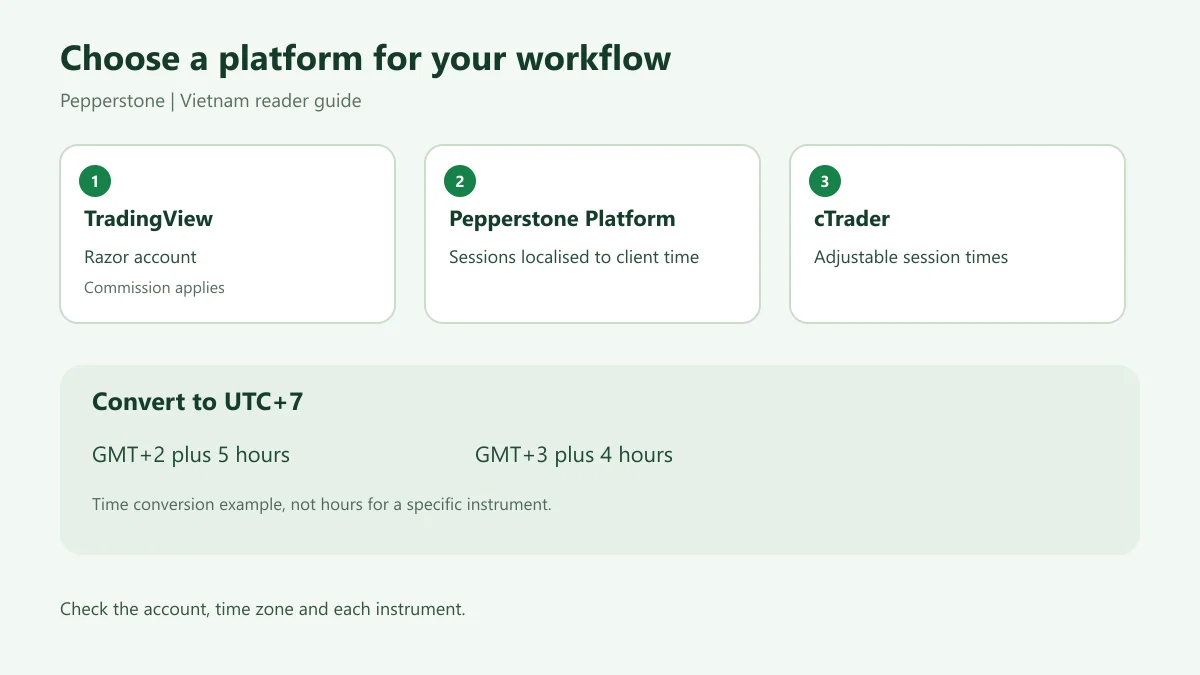
Diagram explained
Match the platform, account and time zone to your needs.
- TradingView: Razor account
- Pepperstone Platform: local time
- cTrader: adjustable sessions
- UTC+7 conversion
- Check each instrument
Match the platform to your workflow
If you already use an EA or indicator, start with the platform it supports. Pepperstone’s comparison lists automated trading for MT4, MT5 and cTrader; compatibility does not mean an EA will behave identically after a platform change.
Sources for this section
One practical distinction for Vietnam-based users is that Pepperstone’s platform table says its own platform localises session times to the client’s time zone, while cTrader allows session-time adjustment. The table does not list the same feature for MT4, MT5 or TradingView. Use only the setting your platform actually displays.
Sources for this section
Want to explore the account options?
Convert server time to Vietnam time
Vietnam uses UTC+7. If a schedule or chart is confirmed to show GMT+2, add five hours; if it shows GMT+3, add four. For arithmetic only, 22:00 GMT+2 becomes 03:00 the next day in Vietnam, while 22:00 GMT+3 becomes 02:00 the next day. These are not the trading hours of any particular instrument.
Sources for this section
Official Pepperstone trading hours Pepperstone Vietnam trading hours
Pepperstone says server time is GMT+3 during US daylight saving time and changes to GMT+2 during US standard time. The same page also labels all trading hours as GMT+3 while listing seasonal tables with their own names and date ranges. Match the heading and effective dates of the relevant table. If the time zone for your account instrument is unclear, check the terminal specification or ask support before setting a timed alert or order.
Sources for this section
Official Pepperstone trading hours Pepperstone Vietnam trading hours
A checklist before choosing or registering
Record five items: the platform you want; the account that supports it; how commission is calculated; the displayed time zone; and the session and holiday schedule for your instrument. If you are in Vietnam, use the Vietnamese site for local support information, then check the legal entity and terms shown in your own application. An international page does not establish the terms for every client.
Sources for this section
Pepperstone Vietnam website Official Pepperstone account terms Official Pepperstone fees
If you are unsure, use a demo account to inspect the interface, instrument and session display first. FINEX has not placed trades or tested these features for you. Registering through the partner link is optional; FINEX may earn a commission, which does not change this assessment.
Sources for this section
Match the account to your trading platform
Check the supported platform, account type and devices before getting started.
Your next step
Read the overview: Pepperstone → Explore & register: Pepperstone ↗
Partner link: FINEX may earn a commission; account and country conditions still apply.
Sources and scope
Sources are provider publications. Conditions may vary by entity, country, account and program. Recheck before signing up.