News, weekends and EAs: check whether a prop programme fits your strategy
A practical compatibility review that separates holding, execution, account stages and permitted automation.
Describe the strategy before selecting a programme
A strategy can be sensible in its own setting yet incompatible with an evaluation contract. Write its operational requirements first: normal holding period, weekend exposure, order types, instruments, news sensitivity and automated actions. Do this before browsing an offer. Otherwise it is easy to choose an account and only later discover that its rules require a different trading process.
Use a week of hypothetical activity as a test case, including the awkward parts: a stop triggered near news, an unattended position at rollover and a tool modifying an order. Compatibility concerns what can actually happen, not only what you usually intend to do. Keep uncertain cases on a question list for the provider.
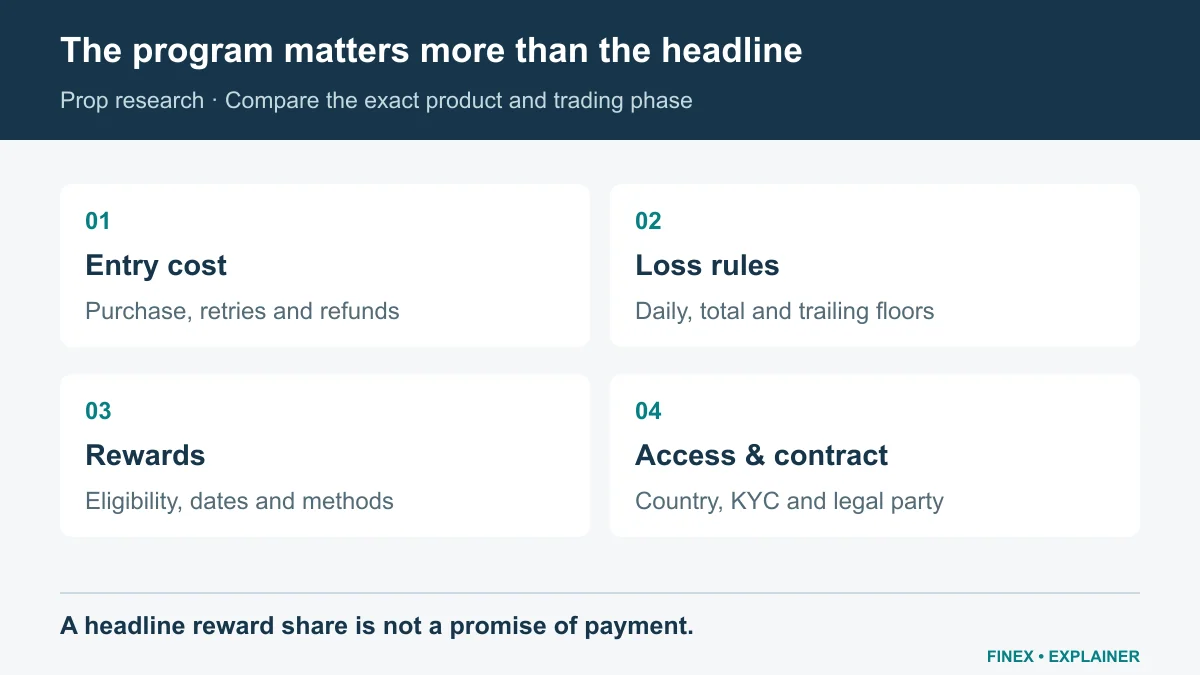
Diagram explained
A headline reward share is not a promise of payment.
- Match the exact program, size and phase. The purchase fee is not the same as a deposit or the displayed simulated capital.
- Read daily and total loss rules, trailing calculations, restricted strategies and news or weekend conditions.
- Check country eligibility, the contracting company, KYC, reward request dates and payment conditions. A payout headline alone does not answer these questions.
Holding and executing are different actions
FTMO’s news FAQ distinguishes holding a position from order execution during restricted events, with exceptions for evaluation phases and Swing accounts. It explicitly includes stop-loss, take-profit and pending-order execution in the restriction. Do not reduce that conditional wording to a simple yes/no label called news trading allowed.
FTMO news execution rules and account exceptions
A useful news worksheet records the event, provider calendar, affected symbols, server time, restricted actions and account stage. For weekend holding, ask about the permission itself and any separate cost or market-opening exposure. An account that allows holding does not promise a smooth reopening or an exit at your planned price.
An EA rule needs more than a platform logo
List everything a tool does: analysis, order entry, copying, position sizing, stop changes or account management. Ask about each function. FundedNext’s EA policy distinguishes MetaTrader permission, account-size restrictions and paid add-ons, while prohibiting automation on cTrader and Match-Trader. That is a provider-specific policy, not a statement about those platforms’ technical capabilities everywhere.
Do not assume a trade-management helper is exempt because it does not open positions. Describe its exact behaviour and obtain clarification where needed. A backtest also cannot establish contract compliance: it measures results under assumptions, whereas permission comes from the applicable rules. Keep the two checks separate.
Recheck when the account changes stage
Passing an evaluation should trigger another rules review before the next trade. Compare the new agreement with the original checklist and update anything that changed. If the strategy depends on a prohibited action, select another compatible path or revise the strategy in a practice setting; do not improvise around restrictions on a paid account. FINEX’s checklist identifies questions, not permission to use a specific tool or trading method.
Sources and scope
Sources are provider publications. Conditions may vary by entity, country, account and program. Recheck before signing up.