FBS: the 500 aggregate and 200 pending-order limits
Count both limits before an EA submits batches; lots and tickets are different units.
Two published ceilings
The page gives up to 500 positions/orders including 200 pending orders. “Including” makes pending a subset rather than an extra 200 beyond 500. Confirm the actual issued account’s limits.
Sources for this section
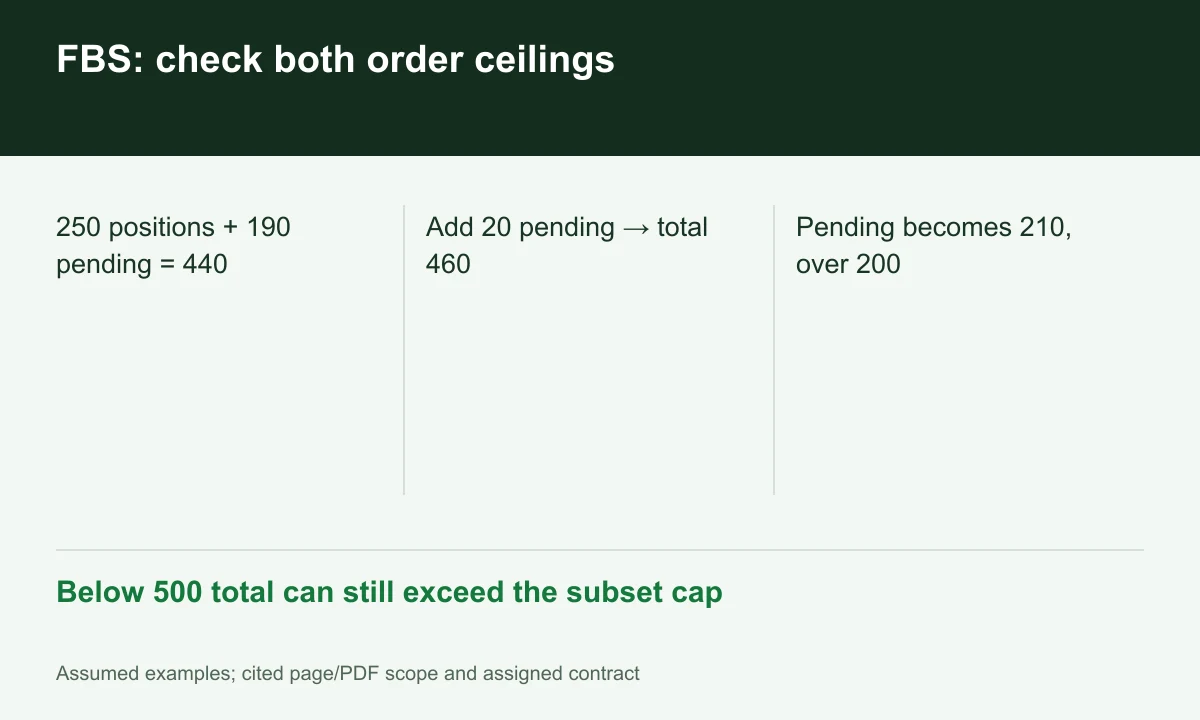
Diagram explained
Below 500 total can still exceed the subset cap
- 250 positions + 190 pending = 440
- Add 20 pending → total 460
- Pending becomes 210, over 200
Aggregate headroom does not guarantee pending capacity
With 250 positions and 190 pending orders the total is 440. Twenty more pending orders would make 460 total but 210 pending, exceeding 200 despite remaining below 500. An aggregate-only counter misses this case.
Sources for this section
Lot size is a separate filter
Per-order volume limits do not replace ticket limits. Batches with the same total lot exposure can consume very different order counts. Check minimum/maximum size, volume step and actual margin before submitting.
Sources for this section
Handle rejection deliberately
An EA should log state, bound retries and include in-flight requests in planning. Do not increase volume to bypass ticket limits. This is a proposed validation workflow, not a claim that FINEX ran a bot at FBS.
Sources for this section
Register for up to 100% trading fee rebates
Rebate details
Contact FINEX to confirm the rebate rate, eligible fees and account conditions before registering. contact@finexbroker.com
Your next step
Sources and scope
Sources are provider publications. Conditions may vary by entity, country, account and program. Recheck before signing up.