How to calculate a Forex rebate from MT4 and MT5 records
Match platform records to the program’s unit, distinguish per-lot and commission-share formulas, and verify the amount before relying on it.
This article includes IC Markets partner links. FINEX may earn a commission.
Start with the rebate rule, not the platform
MT4 and MT5 display trading records and symbol specifications. They do not determine a third-party rebate. First identify the program’s unit: eligible lots, commission actually charged or notional turnover. Then use the platform record that matches that definition. “Lots traded” can mean closed lots, one-way volume or a completed open-close cycle, depending on the terms.
In MT4 or MT5, open the relevant account history or statement and filter the period required by the program. Keep symbol, volume, commission, fees and close status together. In the symbol specification, check the broker’s contract size and volume step; MetaTrader’s own documentation explains that contract size is set for the instrument and one lot is not a universal unit across every product.
MetaTrader 4 — Contract specification MetaTrader 5 — Symbol properties and contract size
Formula 1: a fixed amount for each eligible lot
Formula: eligible lot units × rebate per unit. For a hypothetical program that pays USD 2 for each eligible round-turn lot, 4.5 qualifying lots produce USD 9.00. This only works if the written program defines a qualifying lot on the same basis. If it counts opening and closing sides separately, the recorded volume may differ.
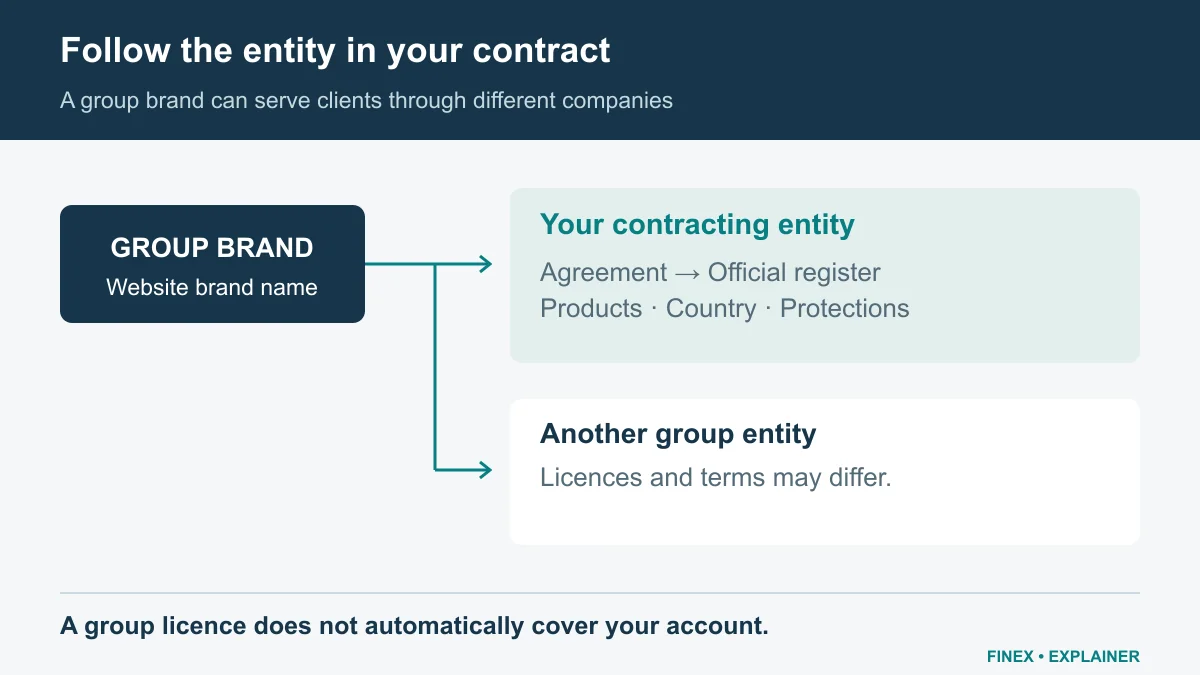
Diagram explained
The formula is only as reliable as the program’s definition of eligible commission.
- Illustration only: USD 7 of commission is assumed eligible and the assumed rebate share is 40%. USD 7 × 0.40 = USD 2.80.
- A real program may define the charge, account, instrument, period, currency and payout differently. Confirm each item in its current written terms.
- A rebate changes a cost estimate. It does not change market risk or guarantee a profitable trade.
Formula 2: a share of commission paid
Formula: eligible commission actually charged × rebate percentage. If a hypothetical closed trade incurred USD 7.00 in eligible commission and the confirmed share were 40%, the calculation would be USD 7.00 × 0.40 = USD 2.80. Do not multiply a per-side quote by two unless the account terms charge both sides and the program includes both.
Formula 3: a rate on eligible turnover
Some programs use notional turnover instead of lots or the commission line. Apply the published rate to the turnover definition and currency in the terms. For a hypothetical rate of USD 2 per USD 1 million of eligible turnover, USD 1.5 million would produce USD 3.00. Confirm whether opening and closing notional both count and how currency conversion is performed.
Reconcile the estimate with the provider statement
Create columns for date, symbol, eligible volume, commission, program rule and estimated rebate. Exclude ineligible symbols or dates before summing. Then compare the result with the provider or partner statement after the program’s posting time. Rounding, account currency, tier thresholds and contract changes can explain a difference. A spreadsheet estimate is not proof of a payable balance.
Keep rebates separate from trading performance. A positive rebate can coexist with a larger trading loss or other charges. Do not increase trade size or frequency to reach a threshold.
Ask for the exact rule before registration
Before using a partner link, ask which entity and country the offer covers, whether new or existing accounts qualify, which products and platforms count, how volume is defined, what is excluded, when it is paid and whether the amount is withdrawable. FINEX currently advertises up to 100% trading-fee rebates, but your rate and eligible charges require confirmation. Use the provider reviews below to compare terms; do not trade more because a calculation looks attractive.
Is IC Markets a fit for you?
If the fees, platforms and account terms meet your needs, explore opening an IC Markets account. Confirm the contracting entity and terms for your country of residence before registering.
Register for up to 100% trading fee rebates
Rebate details · Partner link
Contact FINEX to confirm the rebate rate, eligible fees and account conditions before registering. contact@finexbroker.com FINEX may earn a commission through this link.
Follow Forex backcom updates
The channel shares rebate information and guides. “Up to 100%” is an advertised maximum; the actual rate depends on the broker, country, legal entity, account and eligible charges. Confirm the terms before registering. Do not trade more just to earn a rebate.
Join FINEX Backcom 100% Forex ↗Sources and scope
Sources are provider publications. Conditions may vary by entity, country, account and program. Recheck before signing up.